The Complete Guide to Virtual AI Department (2026)

Small businesses waste an average of 21% of their workforce capacity on repetitive tasks that AI can handle better, faster, and cheaper. The virtual AI department changes this equation completely. Instead of hiring additional staff to handle growing document volumes, customer inquiries, and data processing tasks, you deploy a custom AI system that operates like a dedicated department within your business. This AI department works 24/7, processes unlimited volume, and costs a fraction of human employees.
What Is Virtual AI Department?
A virtual AI department is a custom-deployed AI operating system that handles specific business functions traditionally managed by human staff. Unlike generic AI tools or chatbots, a virtual AI department integrates directly with your existing business systems and processes documents, manages communications, and executes complex workflows without human intervention. The virtual AI department operates through three core components:
Knowledge Base Integration: Your AI department accesses all company documents, procedures, templates, and historical data. This creates institutional knowledge that new human employees take months to develop.
System Connectivity: Direct integration with your CRM, accounting software, email systems, and other business tools. The AI department reads data, updates records, and triggers actions across all connected systems.
Workflow Automation: Pre-programmed processes that handle entire business functions from start to finish. Document review, client onboarding, proposal generation, and follow-up sequences run automatically. According to Artificial Intelligence research, businesses deploying comprehensive AI systems see 25-40% productivity improvements within six months. The virtual AI department approach delivers these gains by replacing entire workflows rather than just automating individual tasks. To understand if your business is ready for this level of AI integration, consider taking The AI Readiness Checklist: 10 Questions Every Business Owner Should Answer Before Deploying AI to assess your current operational status and automation potential.
How Virtual AI Department
Works for Small Business
Small businesses deploy virtual AI departments to handle three primary function categories: document processing, customer communications, and data analysis. Each function operates independently while sharing the same knowledge base and system integrations.
Document Processing Operations
Your virtual AI department reviews, categorizes, and processes all incoming documents without human oversight. Insurance agencies use this for policy applications and claims processing. Private lending companies deploy it for loan applications and underwriting support. Accounting firms use it for tax document preparation and compliance reviews. The AI department reads documents in any format, extracts key data points, validates information against existing records, and routes documents to appropriate workflows. Processing time drops from hours to minutes while accuracy increases due to consistent application of business rules.
Customer Communication Management
Every customer inquiry, email, phone call transcript, and support ticket gets processed by your virtual AI department. The system identifies inquiry type, accesses relevant customer history, and generates appropriate responses using your company’s communication style and policies. For complex inquiries requiring human intervention, the AI department prepares detailed summaries, suggests response strategies, and drafts initial communications for human review. This reduces response time from days to hours while maintaining service quality. For businesses specifically looking to transform their customer service operations, AI for Customer Service: A 2026 Strategy Guide for Small Businesses provides detailed implementation strategies and best practices.
Data Analysis and Reporting
Your virtual AI department continuously monitors business metrics, identifies trends, and generates actionable insights. Monthly reports, performance dashboards, and exception alerts are created automatically without manual data compilation. The AI department connects data points across all business systems to identify opportunities, flag potential issues, and recommend process improvements. This analytical capability typically requires dedicated staff or expensive consulting services.
Key Benefits and ROI
Businesses deploying virtual AI departments see measurable returns across four key areas: cost reduction, capacity expansion, quality improvement, and speed enhancement.
Cost Reduction Metrics
The average virtual AI department replaces 2-4 full-time employees while operating at 60-80% lower cost than equivalent human resources. Here are the specific savings:
| Cost Category | Traditional Approach | Virtual AI Department | Annual Savings |
|---|---|---|---|
| Staff Salaries | $120,000-$200,000 | $24,000-$48,000 | $96,000-$152,000 |
| Benefits & Overhead | $36,000-$60,000 | $0 | $36,000-$60,000 |
| Training & Development | $8,000-$15,000 | $0 | $8,000-$15,000 |
| Error Correction | $12,000-$25,000 | $2,000-$4,000 | $10,000-$21,000 |
| Total Annual Costs | $176,000-$300,000 | $26,000-$52,000 | $150,000-$248,000 |
Capacity Expansion Results Virtual
AI departments process unlimited volume without performance degradation.
Businesses report these capacity improvements:
Document Processing: 300-500% increase in daily document throughput Customer Inquiries: 24/7 availability with 90% reduction in response time Data Analysis: Real-time reporting instead of monthly or quarterly cycles Quality Control: 100% consistency in applying business rules and procedures
ROI Timeline
Most businesses achieve positive ROI within 4-6 months of virtual AI department deployment.
The ROI acceleration follows this pattern:
Month 1-2: Initial productivity gains from basic automation (15-25% improvement) Month 3-4: Full integration benefits realized (40-60% improvement) Month 5-6: Process optimization and advanced workflows deployed (60-80% improvement) Month 7+: Compound benefits from data insights and continuous improvement
Implementation Steps and Timeline Virtual
AI department deployment follows a structured three-phase approach designed to minimize business disruption while maximizing early wins.
Phase 1: Foundation Deployment (Weeks 1-4)
The first phase establishes your AI operating system and core functionality.
This includes: Week 1-2: System Architecture and Knowledge Base
- Deploy Claude AI foundation with custom knowledge base
- Upload and index all company documents, procedures, and templates
- Configure security protocols and access controls
- Test basic query and response functionality Week 3-4: Initial Integration and Training
- Connect primary business systems (CRM, email, accounting)
- Train AI on company communication style and policies
- Deploy first automated workflow (typically document intake)
- Conduct initial performance testing Phase 1 delivers immediate value through faster document search, consistent responses to common inquiries, and basic task automation.
Phase 2: Integration and Optimization (Weeks 5-8) Phase 2 expands system connectivity and deploys advanced workflows:
System Integration Expansion
- Connect additional business tools (calendar, project management, specialty software)
- Configure data synchronization between systems
- Set up automated data validation and error checking
- Deploy advanced workflow triggers and conditions Process Automation Deployment
- Automate customer onboarding sequences
- Deploy document review and approval workflows
- Configure automated reporting and dashboard updates
- Implement exception handling and escalation procedures Most businesses see 40-60% productivity improvements by the end of Phase 2.
Phase 3: Advanced Automation (Weeks 9-12)
The final phase deploys sophisticated automation and optimization features: Advanced Workflow Configuration
- Multi-system process automation
- Predictive analytics and trend identification
- Advanced customer communication sequences
- Performance optimization and process refinement Monitoring and Continuous Improvement
- Deploy performance monitoring dashboards
- Configure automatic system updates and improvements
- Train team on AI department management
- Establish ongoing optimization procedures Companies completing all three phases typically see 60-80% improvements in operational efficiency with full ROI realized within 6 months.
Common Mistakes to Avoid
Businesses fail to realize full virtual AI department benefits when they make these critical implementation mistakes:
Mistake 1: Insufficient Knowledge Base Preparation
Many businesses rush deployment without properly preparing their knowledge base. Incomplete or poorly organized company information results in inconsistent AI responses and missed automation opportunities.
Solution: Dedicate 2-3 weeks to knowledge base preparation before deployment. Organize documents by function, update outdated procedures, and eliminate contradictory information.
Mistake 2: Over-Automating Too Quickly
Attempting to automate complex processes immediately leads to errors, customer frustration, and team resistance.
The most successful deployments start with simple, high-volume tasks before advancing to complex workflows.
Solution: Follow the three-phase implementation approach. Master basic automation before deploying advanced workflows. This builds confidence and demonstrates value early.
Mistake 3: Inadequate Integration Planning
Businesses underestimate the importance of deep system integration.
Surface-level connections limit automation potential and create data silos that reduce efficiency gains.
Solution: Map all system interconnections before deployment. Identify data flows, approval processes, and communication triggers that require deep integration.
Mistake 4: Neglecting Team Training
Deploying virtual
AI departments without proper team training creates adoption resistance and operational inefficiencies. Team members need to understand how to work with AI systems effectively.
Solution: Include comprehensive team training in your implementation timeline. Focus on AI collaboration skills rather than replacement anxiety.
Mistake 5: Choosing Generic AI Tools
Many businesses assume generic AI tools can deliver virtual department functionality. These tools lack the customization, integration, and specialized knowledge required for department-level automation.
Solution: Deploy purpose-built AI operating systems designed for comprehensive business automation. Generic tools supplement human work; virtual AI departments replace entire workflows.
Virtual AI Department vs Traditional Solutions
Understanding how virtual
AI departments compare to alternative approaches helps businesses make informed deployment decisions:
| Approach | Setup Time | Monthly Cost | Scalability | Integration Depth | ROI Timeline |
|---|---|---|---|---|---|
| Virtual AI Department | 4-12 weeks | $2,000-$8,000 | Unlimited | Deep, custom | 4-6 months |
| Additional Staff | 2-8 weeks | $8,000-$15,000 | Linear, expensive | Manual processes | 12+ months |
| Generic AI Tools | 1-4 weeks | $500-$2,000 | Limited | Surface level | 8-12 months |
| Automation Software | 8-16 weeks | $1,000-$5,000 | Rule-based only | System-specific | 6-9 months |
| Outsourcing | 2-6 weeks | $3,000-$12,000 | Provider dependent | None | Variable |
The virtual AI department approach delivers superior scalability and integration depth compared to traditional solutions while maintaining faster ROI timelines than hiring additional staff.
Industry-Specific Virtual AI Department Applications
Different industries deploy virtual AI departments for specialized functions that address their unique operational challenges:
Private Lending Operations
Private lending companies use virtual
AI departments for loan application processing, borrower communication, and compliance monitoring. The AI department reviews loan applications against lending criteria, manages borrower inquiries throughout the loan lifecycle, and generates compliance reports. Typical results include 50-70% reduction in application processing time and 80% improvement in borrower communication response rates. For a comprehensive implementation guide specific to this industry, see our detailed analysis in AI Deployment for Private Lending Companies: The Complete Guide.
Insurance Agency Management
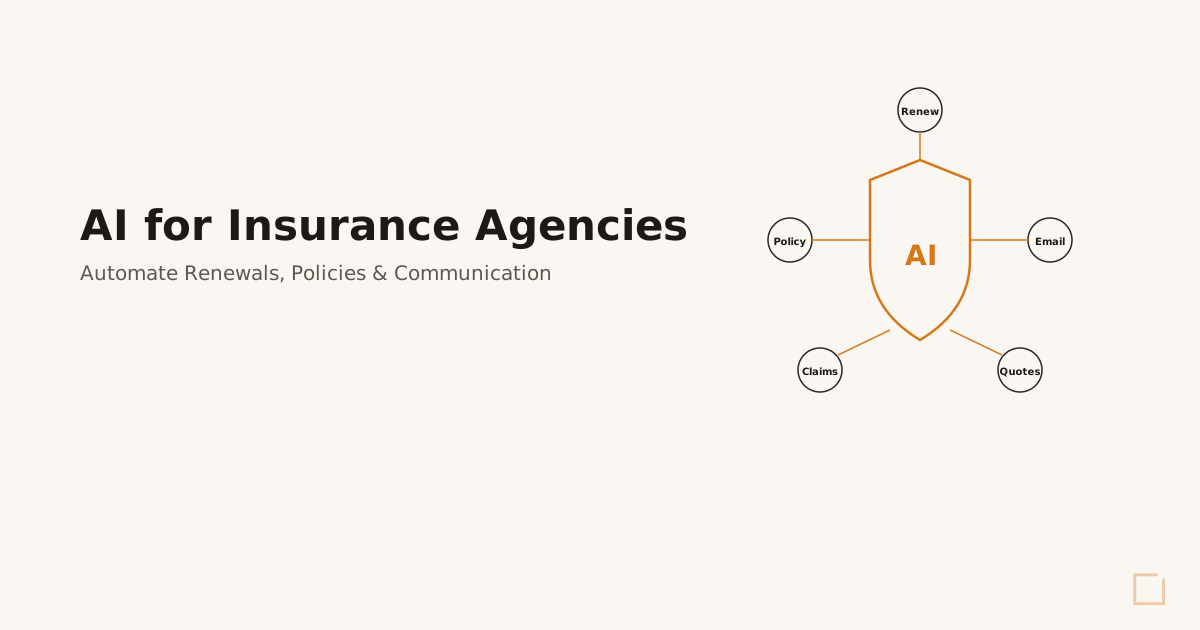
Insurance agencies deploy virtual AI departments for policy renewals, claims processing, and client communication management. The AI handles routine policy questions, processes renewal paperwork, and manages client check-ins and cross-selling opportunities. Agencies report 40-60% reduction in administrative overhead and 90% improvement in client communication consistency.
Accounting Firm Operations
Accounting firms use virtual AI departments for tax preparation support, client communication, and compliance monitoring. The AI processes tax documents, manages client inquiries during tax season, and ensures deadlines and compliance requirements are met. Firms typically see 35-50% improvement in tax season capacity without adding seasonal staff.
Measuring Virtual AI Department Performance
Successful virtual AI department deployment requires consistent performance monitoring across key metrics:
Productivity Metrics
Task Completion Volume: Track daily, weekly, and monthly task completion rates Processing Speed: Measure time from task initiation to completion Accuracy Rates: Monitor error rates and correction requirements System Uptime: Track AI department availability and response times
Business Impact Metrics
Cost Per Transaction: Calculate processing costs before and after AI deployment Revenue Per Employee: Measure productivity improvements across the organization Customer Satisfaction: Track response times and service quality metrics Error Reduction: Monitor quality improvements and reduced rework
ROI Calculation Framework
Calculate virtual
AI department ROI using this framework:
Cost Savings: (Previous labor costs + overhead) - (AI department costs) Productivity Gains: (Increased capacity × hourly value) - (Implementation costs) Quality Improvements: (Error reduction savings) + (Customer retention improvements) Time Savings: (Hours saved × hourly rate) - (Training and management time) Most businesses track ROI monthly during the first year to optimize performance and demonstrate value to stakeholders.
Frequently Asked Questions
How much does virtual
AI department cost?
Virtual AI department deployment typically costs $15,000-$50,000 for initial setup plus $2,000-$8,000 monthly for ongoing management. The exact cost depends on business size, complexity of integrations, and scope of automation. Most businesses see positive ROI within 4-6 months through labor cost savings and productivity gains.
Is virtual
AI department worth it for small businesses?
Yes, small businesses with document-heavy processes see the highest ROI from virtual AI departments. Companies processing 100+ documents monthly, managing complex customer communications, or spending 20+ hours weekly on repetitive tasks typically save 30-40% on operational costs while improving accuracy and response times.
How long does it take to implement virtual
AI department?
Virtual AI department implementation takes 4-12 weeks depending on business complexity. Phase 1 (core AI deployment) takes 2-4 weeks, Phase 2 (integrations and training) takes 2-4 weeks, and Phase 3 (full automation deployment) takes 2-6 weeks. Most businesses see immediate benefits after Phase 1 completion.
Getting Started with Virtual AI Department
Deploying a virtual
AI department requires careful planning, proper execution, and ongoing optimization. The businesses that see the highest ROI start with a comprehensive readiness assessment to identify the best automation opportunities and potential implementation challenges. Every successful virtual AI department deployment begins with understanding your current operational capacity, identifying bottlenecks, and mapping optimal automation workflows. This groundwork ensures your AI department delivers maximum value from day one. Ready to see if your business is ready for virtual AI department deployment? Take our AI Readiness Scorecard to get a detailed assessment of your automation opportunities and implementation timeline. For businesses ready to move forward immediately, book a discovery call to discuss your specific requirements and develop a custom virtual AI department strategy.
Ready to Deploy AI? Book a Free Assessment
30 minutes. No pitch. No pressure. Just a conversation about what is possible for your company.
Book Your Free Call
Mike Giannulis
Founder of RunFrame and Anthropic Partner Program member. 20+ years in direct response marketing. Building AI operating systems for companies with 5 to 50 employees.
Ready to See What AI Can Do for Your Company?
30 minutes. No pitch. No pressure. Just a conversation about what is possible.
Book Your Free Assessment