What Is an AI Operating System for Business (And Why Your Company Needs One)
Most companies that say they’re “using AI” have one person copy-pasting prompts into ChatGPT. That is not running on AI. That is using a tool the same way you’d use a calculator, one person at a time, for isolated tasks, with zero connection to anything else in the business.
An AI operating system is fundamentally different. It is a structured deployment of AI across your entire company, connected to your existing tools, trained on your actual processes, and running automations that work without anyone touching them.
”Using AI” vs. “Running on AI”
Here is the distinction that matters.
“Using AI” means someone on your team opens a browser tab, types a question, gets an answer, and pastes it somewhere. That is fine. It is also what 95% of businesses are doing right now.
“Running on AI” means your company has AI embedded into its daily operations. Your onboarding process is automated. Your weekly reports generate themselves. Your customer support team has instant access to every policy, every FAQ, every edge case your company has ever handled. New employees get up to speed in 3 days instead of 3 weeks because the knowledge base answers their questions before they have to ask a manager.
The gap between these two states is enormous. One saves an individual 20 minutes here and there. The other saves an organization 200+ hours per month.
What an AI Operating System Actually Is
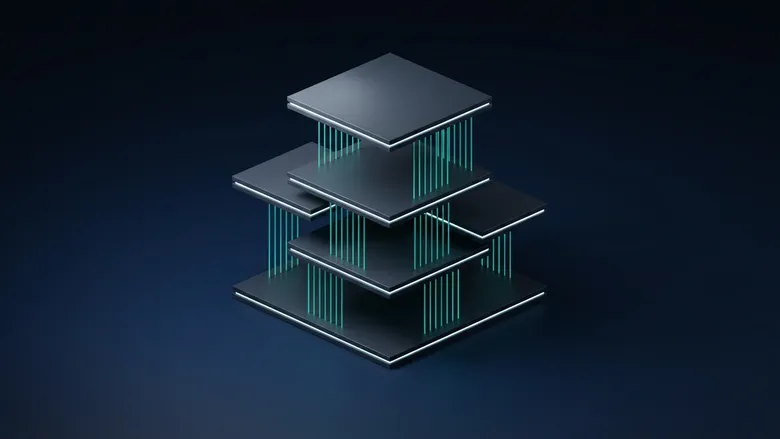
An AI operating system for business has three layers that work together.
Layer 1: Knowledge Bases. This is everything your company knows, organized so AI can access it instantly. Your SOPs, your pricing guides, your HR policies, your sales scripts, your product documentation. Not dumped into a folder. Structured, tagged, and connected so that when someone asks “what is our refund policy for enterprise clients who cancel within 60 days,” the AI gives the exact answer with the source document cited.
Layer 2: Integrations. This is how the AI connects to the tools your team already uses. Slack, email, your CRM, your project management platform, your accounting software. The AI does not live in a separate tab. It lives inside the workflow your team is already in.
Layer 3: Automations. This is where the real value compounds. These are workflows that run on a schedule or trigger without anyone doing anything. A weekly leadership briefing that pulls data from 4 different sources and lands in your inbox every Monday at 7am. A new client onboarding sequence that creates the project folder, sends the welcome email, assigns tasks to the team, and logs everything in your CRM. An end-of-day accountability report that checks whether each department hit their daily targets.
When all three layers are connected, you have an AI operating system. When you only have one, you have a chatbot. To see how these layers come together in a real deployment, take a look at how our process works.
The Difference Between a Chatbot and an Operating System
A chatbot answers questions. An operating system runs processes.
A chatbot waits for input. An operating system executes on a schedule.
A chatbot knows what you tell it in the moment. An operating system knows everything your company has documented, and it remembers.
Here is a concrete example. A chatbot can help you write a job description if you prompt it well enough. An AI operating system pulls from your existing job description templates, matches the role requirements to your company’s competency framework, formats it according to your brand guidelines, posts it to your job board, and notifies your HR lead that the listing is live. One requires a person to drive every step. The other requires a person to approve one step.
The difference in labor hours is not incremental. For a company with 15 employees, we typically see 40 to 80 hours per month redirected from manual process work to higher-value activity within the first 90 days.
A Day in the Life: Running on AI
Here is what a typical Monday looks like at a 20-person company that has deployed an AI operating system.
6:45 AM. The CEO’s weekly briefing generates automatically. It includes revenue numbers pulled from the accounting platform, project status summaries from the PM tool, customer satisfaction scores from the support desk, and a flagged-issues section that highlights anything that missed target last week. No one compiled this. It built itself.
8:00 AM. The sales team opens Slack. Their AI assistant has already reviewed the 14 new inbound leads from the weekend, scored them against the company’s ideal client profile, drafted personalized outreach emails for the top 5, and flagged 2 that look like existing clients using a different email address.
9:30 AM. A new hire starts their first day. Their onboarding sequence was triggered when HR marked their start date in the system. They have a structured 5-day training plan, access to a knowledge base that answers questions about PTO policy, benefits enrollment, and team norms, and a Slack channel where they can ask the AI anything about how the company operates.
11:00 AM. The operations manager needs to update the quarterly vendor review. Instead of pulling data from 3 spreadsheets and 2 email threads, she asks the AI to compile vendor performance data from the last quarter. It returns a formatted summary in 40 seconds, including spend totals, delivery timelines, and quality scores. She reviews, edits one line, and sends it to the leadership team.
2:00 PM. A customer submits a support ticket about a billing discrepancy. The AI checks the customer’s account history, identifies the issue (a proration error from a mid-cycle plan change), drafts a response with the corrected amount and an apology, and queues it for the support rep to review and send. The rep spends 90 seconds on a ticket that would have taken 12 minutes to research and write manually.
5:00 PM. The end-of-day automation runs. It checks task completion rates across all departments, flags any overdue items, and sends a summary to the COO. No one had to chase anyone down for a status update.
That is not a fantasy scenario. That is a real Monday for companies we have deployed this framework for.
The Three Components in Detail
Knowledge Bases
Knowledge bases are the foundation. Without them, AI is guessing. With them, AI is referencing your actual documentation.
A properly built knowledge base for a 15-person company typically includes 50 to 150 documents across 8 to 12 categories. We are talking about your employee handbook, your sales playbook, your product specs, your customer FAQ, your internal SOPs for every recurring process, your pricing and discount approval rules, your brand voice guidelines, and your escalation procedures.
The key is structure. A folder full of PDFs is not a knowledge base. A knowledge base is organized by topic, tagged for retrieval, and written in a way that AI can parse accurately. This is where most DIY attempts fall apart. The documents exist, but they are not formatted for AI consumption, so the answers come back vague or wrong.
We spend about 30% of every deployment on knowledge base architecture. It is the least exciting part and the most important part.
Integrations
Integrations determine where AI shows up in your team’s day. If AI only lives in a separate browser tab, adoption drops off within 2 weeks. We have seen it happen dozens of times.
The integrations that matter most for companies with 5 to 50 employees are typically Slack (or Teams), email, your CRM, your project management tool, and your file storage system. That covers about 80% of where your team spends their working hours.
When AI is inside Slack, your team can ask it questions without leaving their workflow. When it is connected to your CRM, it can pull client data in real time. When it is connected to your PM tool, it can check project status and flag delays automatically.
We build most integrations using n8n, Make, or direct API connections depending on the client’s stack. The average deployment connects 4 to 7 tools.
Automations
Automations are where the ROI becomes undeniable.
A single well-built automation can save 3 to 8 hours per week, every week, indefinitely. Multiply that across 10 or 15 automations and you are looking at the equivalent of hiring a full-time employee, except this one does not call in sick, does not need training, and does not miss deadlines.
The automations we deploy most frequently:
- Weekly leadership briefings (pulls from 3 to 6 data sources, delivers a formatted report)
- New client onboarding sequences (8 to 12 automated steps from contract signed to kickoff complete)
- Daily accountability summaries (checks task completion, flags overdue items)
- Email triage and drafting (categorizes inbound email, drafts responses for review)
- Document generation (proposals, reports, presentations built from templates and live data)
- Meeting prep packages (compiles relevant client history, open items, and talking points before every call)
Each automation is built on top of the knowledge base and integrations. That is why the system works as a whole and not as isolated pieces.
Who This Is For (and Who It Is Not For)
This framework works best for companies with 5 to 50 employees that have at least some documented processes and a leadership team that is willing to invest 4 to 8 weeks in deployment.
It works especially well for service-based businesses, agencies, consulting firms, professional services companies, and any business where the team spends significant time on repeatable knowledge work.
It is not a good fit for companies with zero documentation, no consistent processes, or leadership that wants AI to fix organizational problems that are actually people problems. AI will not make a dysfunctional team functional. It will make a functional team faster.
It is also not a good fit if your entire business runs on one or two manual tasks that do not repeat. The value of an operating system comes from volume and repetition. If you do the same type of work hundreds of times per month, automation delivers massive returns. If every project is completely unique with zero repeatable elements, the ROI is lower.
How to Know If Your Company Is Ready
You are ready if you can answer yes to at least 4 of these 6 questions:
- Do you have at least some of your processes documented (even if they are outdated)?
- Does your team use at least 3 software tools regularly (email, CRM, PM tool, etc.)?
- Do you have recurring tasks that happen weekly or monthly that follow the same general steps?
- Is your leadership team willing to dedicate 2 to 3 hours per week for 6 weeks to the deployment process?
- Do you have at least one person on your team who is comfortable with technology (not an expert, just comfortable)?
- Are you spending more than 20 hours per week as a leadership team on tasks that feel repetitive or administrative?
If you answered yes to 4 or more, your company is a strong candidate for an AI operating system deployment. For a more detailed evaluation, consider an AI Readiness Audit that maps your specific workflows and produces a custom deployment plan.
What Happens Next
The gap between where most businesses are today and where they could be with a properly deployed AI operating system is measured in hundreds of hours per month. Not because AI is magic, but because most companies are doing the same work over and over with manual effort when 60 to 70% of it can be automated, systematized, or accelerated.
The first step is understanding where you stand right now.
Take the AI Readiness Scorecard to get a clear picture of your company’s current AI maturity, where the biggest opportunities are, and what a deployment would look like for your specific situation. It takes about 3 minutes, and you will get a personalized report with specific recommendations.
Ready to Deploy AI? Book a Free Assessment
30 minutes. No pitch. No pressure. Just a conversation about what is possible for your company.
Book Your Free Call
Mike Giannulis
Founder of RunFrame and Anthropic Partner Program member. 20+ years in direct response marketing. Building AI operating systems for companies with 5 to 50 employees.
Ready to See What AI Can Do for Your Company?
30 minutes. No pitch. No pressure. Just a conversation about what is possible.
Book Your Free Assessment