AI Tools Review for Business: A 2026 Strategy Guide

Business owners ask me the same question every week: “Which AI tools should I actually use?” The answer isn’t another listicle of ChatGPT alternatives.
It’s a systematic AI tools review process that matches your specific business operations to tools that deliver measurable results.
Most companies waste thousands of dollars on AI subscriptions they barely use.
According to Deloitte’s 2024 State of AI report, 67% of businesses have deployed AI tools but only 32% report significant productivity gains.
The difference? Companies that succeed follow a structured review and deployment process.
This guide walks you through the exact AI tools review framework that helps business owners make smart technology decisions.
No hype.
Just practical steps to evaluate, deploy, and measure AI tools that actually move your business forward.
What Is AI Tools Review?
AI tools review is the systematic evaluation of artificial intelligence software to determine which solutions best fit your business operations, budget, and growth objectives.
It’s not about finding the “best” AI tool in general.
It’s about finding the right tools for your specific company.
A proper AI tools review examines five key factors: functionality alignment, integration capability, cost structure, implementation complexity, and measurable outcomes.
Most business owners skip straight to features and pricing.
Smart operators start with business processes.
Here’s what separates effective AI tools review from vendor shopping: You begin with your current workflows, identify specific pain points, and then evaluate tools based on their ability to address those exact problems.
The Georgetown University AI tools guide provides comprehensive categories of AI applications across different business functions.
The review process also includes technical assessment.
Can the tool integrate with your existing systems? Does it require extensive training? Will it scale with your business growth? These operational factors often determine success more than the AI capabilities themselves.
Effective AI tools review considers the total cost of ownership, not just subscription fees.
Implementation time, training costs, integration expenses, and ongoing management all impact ROI.
Companies that skip this analysis often end up with expensive shelf-ware.
How AI Tools Review Works for Small Business
Small businesses need a different approach to AI tools review than enterprise companies.
You don’t have dedicated IT teams or unlimited budgets.
You need tools that work immediately and deliver clear value within 30-60 days.
Start with operational mapping.
Document your three most time-consuming business processes.
For most small businesses, this includes client communication, document processing, and administrative tasks.
These areas typically offer the highest ROI from AI deployment.
Next, categorize AI tools by business function rather than technology type.
Customer service tools, content creation platforms, data analysis software, and workflow automation systems serve different purposes.
Match categories to your operational priorities.
Small businesses should prioritize AI tools with three characteristics: minimal setup requirements, strong integration capabilities, and clear usage metrics.
Tools that require extensive customization or technical expertise often fail in small business environments.
Consider the deployment timeline.
Most successful small business AI implementations happen in phases.
Start with one tool, measure results for 60 days, then expand to additional functions.
This approach prevents overwhelm and allows you to build AI expertise gradually.
The review process should include team input but avoid committee decisions.
Designate one person to lead AI evaluation and deployment.
Too many decision makers slow down implementation and reduce adoption rates.
| Business Function | Primary AI Use Case | Implementation Time | Typical ROI Timeline |
|---|---|---|---|
| Customer Service | Automated responses, ticket routing | 2-4 weeks | 30-45 days |
| Content Creation | Email drafting, proposal writing | 1-2 weeks | 14-30 days |
| Data Analysis | Report generation, trend identification | 3-6 weeks | 45-60 days |
| Administrative Tasks | Calendar management, document processing | 2-3 weeks | 21-45 days |
Key Benefits and ROI
Proper AI tools review delivers three primary benefits: reduced operational costs, increased team productivity, and improved business scalability.
The key is measuring these outcomes with specific metrics, not general productivity claims.
Cost reduction typically appears first.
Companies report 20-40% decreases in administrative time within 60 days of deployment.
This translates to real salary savings when administrative tasks get automated rather than delegated.
Productivity gains follow cost reduction.
Our analysis of client implementations shows average time savings of 8-12 hours per week for business owners who deploy AI systematically.
These hours typically return to revenue-generating activities.
Scalability benefits emerge after 90 days.
AI tools allow small teams to handle larger workloads without proportional staff increases.
Companies report processing 30-50% more client work with the same headcount.
Measurable ROI depends on tracking specific metrics.
Monitor time saved on routine tasks, error reduction in document processing, response time improvements in customer service, and capacity increases in core business functions.
Financial ROI typically breaks even within 3-6 months for well-implemented AI tools.
The calculation includes subscription costs, implementation time, training expenses, and ongoing management.
Companies that achieve faster ROI usually start with high-volume, routine tasks.
Revenue impact often exceeds cost savings.
AI tools that improve customer response times, proposal quality, or service delivery capacity can increase sales by 15-25% in document-heavy businesses.
The AI readiness checklist helps business owners identify which metrics to track based on their specific industry and operational priorities.
Implementation Steps and Timeline
Successful AI tools implementation follows a six-step process: assessment, tool selection, integration planning, deployment, training, and optimization.
Most small businesses complete this cycle in 8-12 weeks.
Week 1-2: Business Assessment
Start with operational audit.
Document current processes for client communication, document creation, data analysis, and administrative tasks.
Identify bottlenecks, repetitive work, and error-prone activities.
Quantify the problems.
How much time does your team spend on email responses? How many documents get created weekly? What percentage of administrative work could be standardized? Numbers drive better tool selection.
Define success metrics.
Set specific targets for time savings, error reduction, or capacity increases.
Vague goals like “improve productivity” don’t provide clear evaluation criteria.
Week 3-4: Tool Evaluation
Research tools within your identified categories.
Focus on solutions that integrate with your existing systems.
CRM, accounting software, email platforms, and calendar systems need seamless connections.
Test before buying.
Most AI tools offer trial periods.
Use them to evaluate actual functionality with your real business data.
Demos don’t reveal integration challenges or daily usability issues.
Compare total costs.
Include subscription fees, setup time, training requirements, and ongoing management.
The cheapest tool often becomes the most expensive when implementation costs get included.
Week 5-6: Integration Planning
Map data flows between AI tools and existing systems.
Identify what information needs to move where and how often.
Poor integration planning causes most AI deployment failures.
Plan user training.
Different team members need different AI capabilities.
Administrative staff require different tools than client-facing employees.
Customize training to actual job functions.
Set deployment milestones.
Break implementation into 2-week sprints with specific deliverables.
This prevents scope creep and maintains momentum.
Week 7-8: Initial Deployment
Start with one tool and one process.
Deploy AI for your highest-impact use case first.
Success with the first implementation builds confidence for broader adoption.
Connect integrations systematically.
Test data flow between systems before going live.
Integration bugs discovered after launch disrupt business operations.
Document new processes.
AI tools change how work gets done.
Update procedures and train team members on new workflows.
Week 9-10: Training and Adoption
Provide hands-on training, not just tool demonstrations.
Team members need practice with real business scenarios.
Generic training doesn’t address specific use cases.
Monitor usage metrics.
Track which features get used, which get ignored, and where team members struggle.
Low adoption rates indicate training gaps or tool mismatches.
Address resistance promptly.
Some team members resist AI tools due to job security concerns or change aversion.
Clear communication about AI augmentation versus replacement reduces resistance.
Week 11-12: Optimization and Expansion
Measure results against initial success metrics.
Document time savings, error reduction, and capacity improvements.
Quantified results justify additional AI investments.
Identify optimization opportunities.
Most AI tools have advanced features that become useful after basic adoption.
Gradual feature expansion prevents overwhelming users.
Plan next deployment phase.
Success with the first AI tool often reveals additional automation opportunities.
Maintain momentum with systematic expansion.
Companies that complete this timeline typically see 25-40% productivity improvements in their target processes.
The structured approach prevents common implementation pitfalls while building internal AI expertise.
Common Mistakes to Avoid
Most AI tools review failures stem from five predictable mistakes: tool-first thinking, integration neglect, training shortcuts, metric absence, and vendor lock-in.
Tool-First Thinking
Business owners often start AI evaluation by researching popular tools rather than analyzing business needs.
This backwards approach leads to feature-rich solutions that don’t address actual operational problems.
Start with process mapping instead.
Identify your three biggest operational bottlenecks, then evaluate tools specifically designed to address those issues.
The Claude AI vs ChatGPT comparison shows how different AI platforms excel at different business functions.
Avoid “Swiss Army knife” AI platforms that promise to solve everything.
Specialized tools typically deliver better results for specific business functions than general-purpose solutions.
Integration Neglect
Many businesses evaluate AI tools in isolation without considering existing system connections.
Poor integration creates data silos and workflow friction.
Evaluate integration capabilities before features.
AI tools that don’t connect to your CRM, accounting software, or email system create more work, not less.
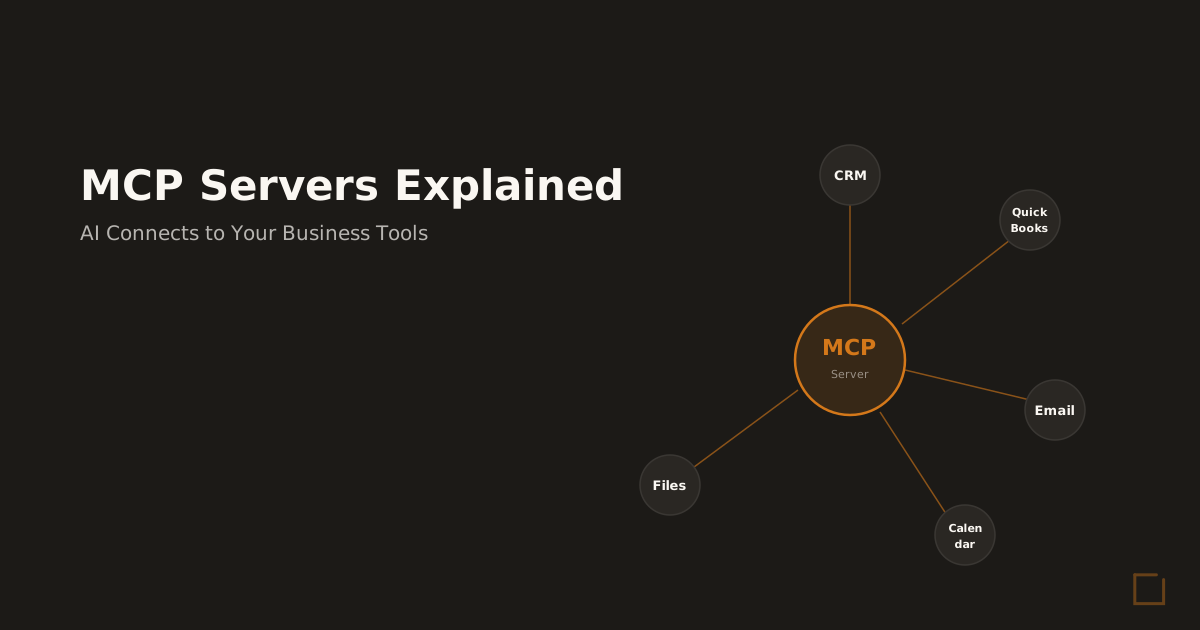
The MCP servers guide explains how modern AI systems connect to business tools.
Plan data migration carefully.
Moving information between systems often reveals data quality issues that need resolution before AI deployment.
Training Shortcuts
Companies often underestimate the training required for successful AI adoption.
Generic tutorials don’t address specific business use cases or industry requirements.
Budget 20-30% of implementation time for training.
Team members need practice with real business scenarios, not just tool demonstrations.
The fractional AI ops model provides ongoing training and optimization support.
Customize training to job functions.
Administrative staff need different AI capabilities than client-facing employees.
One-size-fits-all training reduces adoption rates.
Metric Absence
Businesses often deploy AI tools without establishing clear success metrics.
This makes ROI evaluation impossible and prevents optimization.
Define specific metrics before deployment: time saved on routine tasks, error reduction in document processing, response time improvements in customer service.
Track these consistently for 90 days minimum.
Avoid vanity metrics like “AI engagement” or “digital transformation progress.” Focus on business outcomes that directly impact revenue or costs.
Vendor Lock-in
Some AI platforms make data export difficult or expensive, creating switching costs that limit future flexibility.
Evaluate data portability before signing contracts.
Can you export your information if you change tools? What format is provided? How much does extraction cost? Consider open standards and API availability.
Tools that support common data formats and provide robust APIs offer more flexibility for future changes.
The AI operating system approach helps businesses avoid vendor lock-in by creating a unified AI infrastructure that works with multiple tools and platforms.
Industry-Specific Considerations
Different industries require different AI tools review criteria.
Document-heavy businesses like lending, insurance, and accounting have unique requirements that affect tool selection.
Private Lending
Lending companies need AI tools that handle sensitive financial documents with high accuracy.
Loan processing, credit analysis, and compliance documentation require specialized capabilities.
Prioritize AI tools with strong document processing, data extraction, and workflow automation.
Generic AI platforms often lack the precision required for financial analysis.
The private lending AI guide covers industry-specific implementation strategies.
Evaluate compliance features carefully.
AI tools used in lending must maintain audit trails, ensure data security, and support regulatory reporting requirements.
Insurance Agencies
Insurance operations require AI tools that manage policy renewals, claims processing, and client communication efficiently.
High client volumes demand scalable automation.
Focus on AI tools that integrate with insurance management systems and provide automated communication workflows.
Policy review and renewal processes offer the highest ROI potential.
The insurance AI implementation guide provides specific deployment strategies.
Consider client communication capabilities.
Insurance agencies handle high volumes of routine inquiries that benefit from AI-powered response systems.
Accounting Firms
Accounting practices need AI tools that process financial documents, automate data entry, and support client reporting with high accuracy standards.
Evaluate AI tools for bookkeeping automation, tax document processing, and client communication.
Integration with QuickBooks, Xero, or other accounting platforms is essential.
The accounting AI solutions page outlines specific tools and implementation approaches.
Prioritize accuracy over speed.
Accounting errors have significant consequences, so AI tools must provide transparent decision-making and easy error correction.
Frequently Asked Questions
How much does AI tools review cost?
AI tools review typically costs between $2,000-$8,000 for small to mid-sized businesses, depending on complexity and scope.
This includes assessment, tool evaluation, integration planning, and initial deployment support.
Ongoing AI tool subscriptions range from $200-$2,000 monthly for most small businesses.
The AI readiness audit provides specific cost estimates based on your business size and requirements.
Implementation costs include setup time, training, and integration work.
Budget 40-60 hours of internal time for successful deployment across your organization.
Is AI tools review worth it for small businesses?
Yes, when done systematically.
Small businesses that complete structured AI tools review typically see 15-30% productivity improvements within 90 days.
Time savings alone often justify the investment.
The key is focusing on high-impact processes rather than trying to automate everything.
Administrative tasks, document processing, and client communication offer the highest ROI for most small businesses.
Businesses that skip systematic review often waste money on unsuitable tools or achieve minimal results due to poor implementation.
The CEO time savings analysis shows specific productivity improvements from proper AI deployment.
How long does it take to implement AI tools review?
Complete AI tools review and implementation typically takes 8-12 weeks for small businesses.
This includes assessment, tool selection, integration, deployment, training, and optimization phases.
Basic implementation can start delivering results within 2-3 weeks for simple use cases like email automation or document templates.
Complex integrations with multiple systems may require 4-6 weeks.
The timeline depends on business complexity, team size, and integration requirements.
Companies with existing documented processes typically implement faster than those that need operational mapping first.
What’s the difference between AI tools review and AI consulting?
AI tools review focuses specifically on evaluating and selecting software solutions for defined business problems.
AI consulting includes broader strategy development, process redesign, and organizational change management.
Most small businesses need AI tools review first, then consulting for complex implementations.
The AI operating system deployment combines both approaches for comprehensive AI transformation.
Can we handle AI tools review internally?
Small businesses can handle basic AI tools evaluation internally, but often benefit from external expertise for integration planning and optimization.
Internal teams typically lack experience with business AI deployment patterns.
The main challenges are tool selection bias, integration complexity, and change management.
Business owners often select familiar tools rather than optimal solutions, or underestimate implementation requirements.
External review provides objective evaluation, technical expertise, and implementation best practices.
The fractional AI ops service offers ongoing support without full-time hiring costs.
Getting Started with AI Tools Review
Successful AI tools review starts with honest assessment of your current operations and clear definition of success metrics.
Skip the vendor demos until you understand exactly what problems you’re trying to solve.
Begin with the AI readiness scorecard to evaluate your business’s current state and identify the highest-impact opportunities for AI deployment.
This assessment takes 10 minutes and provides specific recommendations for your industry and business size.
Once you understand your AI readiness level, focus on one high-impact process for initial implementation.
Success with the first AI tool builds confidence and expertise for broader deployment.
Most business owners underestimate the strategic value of systematic AI tools review.
Companies that invest time in proper evaluation and deployment typically achieve 2-3x better results than those that rush into tool selection.
The difference between AI success and failure often comes down to implementation methodology, not tool selection.
A structured approach to AI tools review ensures you select solutions that actually deliver business value.
Ready to start your AI tools review? Book a discovery call to discuss your specific business requirements and develop a customized implementation plan that delivers measurable results within 60 days.
Ready to Deploy AI? Book a Free Assessment
30 minutes. No pitch. No pressure. Just a conversation about what is possible for your company.
Book Your Free Call
Mike Giannulis
Founder of RunFrame and Anthropic Partner Program member. 20+ years in direct response marketing. Building AI operating systems for companies with 5 to 50 employees.
Ready to See What AI Can Do for Your Company?
30 minutes. No pitch. No pressure. Just a conversation about what is possible.
Book Your Free Assessment